

Cleaning a USB Type C cable is a crucial maintenance step that can extend its lifespan and ensure optimal performance. As a USB Type C cable supplier, I've witnessed firsthand the importance of proper cable care. In this blog, I'll share some effective methods to clean your USB Type C cable, along with insights into why cleaning is essential.
Why Cleaning Your USB Type C Cable Matters
USB Type C cables are used daily to charge our devices, transfer data, and connect various gadgets. Over time, these cables can accumulate dirt, dust, and debris. When dirt enters the cable's connectors, it can disrupt the electrical connection, leading to slower charging speeds, intermittent data transfer, or even complete failure. Regular cleaning not only helps maintain a stable connection but also protects your valuable devices from potential damage caused by poor connectivity.

Tools You'll Need
Before you start cleaning your USB Type C cable, gather the following tools:
- Lint-free cloth: A soft, lint-free cloth is ideal for wiping the cable's exterior and connectors without leaving behind fibers.
- Cotton swabs: These are useful for reaching into the small spaces of the USB Type C connectors.
- Isopropyl alcohol: A small amount of isopropyl alcohol (70% or higher) can help dissolve stubborn dirt and grime. Avoid using too much, as it can damage the cable.
- Compressed air: If available, compressed air can be used to blow out loose dust and debris from the connectors.
Step-by-Step Cleaning Process
1. Exterior Cleaning
- Unplug the cable: Always start by unplugging the USB Type C cable from your device and any power source to prevent electrical shock.
- Wipe the cable surface: Take the lint-free cloth and gently wipe the entire length of the cable. Pay special attention to areas that are frequently touched, as these tend to accumulate more dirt. If the cable is particularly dirty, you can dampen the cloth slightly with water. Avoid soaking the cloth, as excessive moisture can damage the cable.
- Dry the cable: After wiping, use a dry part of the cloth to dry the cable thoroughly. Make sure there is no moisture left on the surface before using it again.
2. Connector Cleaning
- Inspect the connectors: Before cleaning, carefully inspect the USB Type C connectors for any visible dirt, debris, or lint. If you notice any large particles, you can try using compressed air to blow them out. Hold the can of compressed air upright and use short bursts to avoid getting any liquid propellant on the connectors.
- Clean with cotton swabs: Dip a cotton swab in a small amount of isopropyl alcohol. Gently insert the swab into the USB Type C connector and rotate it to clean the inside. Be careful not to apply too much pressure, as this can damage the delicate pins inside the connector. Repeat this process for both ends of the cable.
- Remove excess alcohol: After cleaning with the cotton swab, use a dry cotton swab to remove any excess alcohol from the connectors. Let the connectors air dry completely for a few minutes before plugging the cable back in.
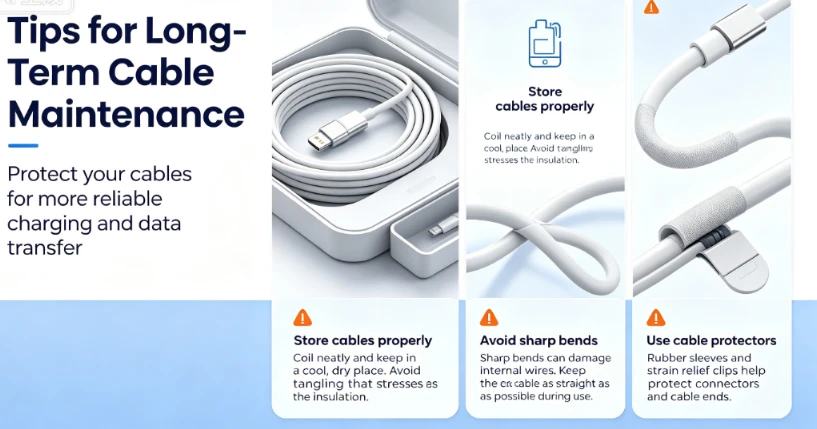
Tips for Long-Term Cable Maintenance
- Store cables properly: When not in use, coil your USB Type C cables neatly and store them in a cool, dry place. Avoid tangled cables, as they can cause stress on the insulation and lead to damage over time.
- Avoid bending the cable too sharply: Sharp bends can damage the internal wires of the cable, affecting its performance. When using the cable, try to keep it as straight as possible and avoid excessive bending.
- Use cable protectors: Cable protectors can help prevent damage to the connectors and the cable itself. There are various types of cable protectors available on the market, such as rubber sleeves and strain relief clips.
Our Product Range
As a USB Type C cable supplier, we offer a wide range of high-quality cables to meet your needs. Whether you're looking for a durable cable for everyday use or a high-speed cable for data transfer, we have you covered.
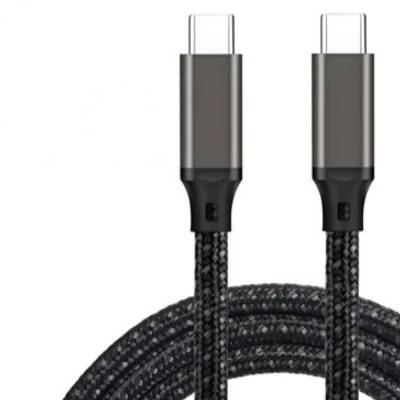
- Gold Plated Usb Type C Cable: Our gold-plated USB Type C cables offer excellent conductivity and corrosion resistance. They are designed to provide a stable and reliable connection for your devices.
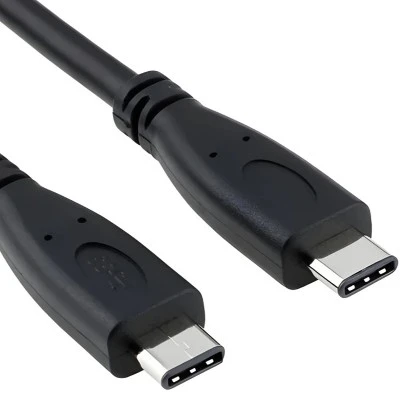
- Usb C 3.2 Cable: These cables support high-speed data transfer and fast charging, making them perfect for modern devices that require quick connectivity.
- Nickel Plated USB Type C Cable: Nickel-plated cables are known for their durability and affordability. They offer a good balance between performance and cost.
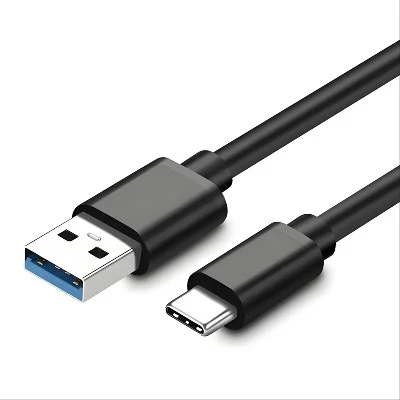
- Usb C To Usb 2.0: This type of cable allows you to connect USB Type C devices to older USB 2.0 ports, providing compatibility for a wide range of devices.
- Usb 3.1 To Usb C: With support for high-speed data transfer up to 10Gbps, these cables are suitable for transferring large files quickly and efficiently.
Contact Us For Purchasing
If you're interested in learning more about our USB Type C cables or have any questions regarding cable cleaning and maintenance, please feel free to reach out. We're here to assist you with all your cable needs, from product selection to technical support. We welcome inquiries from businesses and individuals looking to purchase high-quality USB Type C cables. Contact us today to discuss your requirements and explore how our products can best fit your connectivity needs.
References
- "USB Type-C: The Complete Guide" by George Kurtz
- "Cable Troubleshooting and Maintenance Best Practices" by Tech Forum Magazine