


Introduction
As 4K TVs, gaming consoles, monitors, and projectors become increasingly common, many users wonder whether their existing HDMI cable can support 4K resolution. Since most HDMI cables look almost identical from the outside, it can be difficult to know their actual capabilities.
The good news is that there are several simple ways to determine whether an HDMI cable is suitable for 4K applications. In this guide, we'll explain how to identify a 4K-compatible HDMI cable using packaging information, bandwidth ratings, certification labels, and practical testing methods.

What HDMI Cable Is Required for 4K?
Not all 4K signals require the same amount of bandwidth.
The HDMI cable needed depends on the resolution and refresh rate you plan to use.
| Video Format | Recommended HDMI Cable Type |
|---|---|
| 4K 30Hz | High Speed HDMI Cable |
| 4K 60Hz | Premium High Speed HDMI Cable |
| 4K 120Hz | Ultra High Speed HDMI Cable |
Many users assume that "4K HDMI cable" is an official cable category, but this is not the case. In reality, bandwidth capability is the key factor.
For example, a cable that supports 18Gbps bandwidth can typically handle 4K video at 60Hz, while higher refresh rates require greater bandwidth.
Method 1: Check the Packaging
The easiest identification method is to check the original packaging or product label.
Look for information such as:
- High Speed HDMI Cable
- Premium High Speed HDMI Cable
- 4K 60Hz support
- 18Gbps bandwidth
- HDR compatibility
The following table provides a quick reference:
| Label on Package | Typical 4K Support |
|---|---|
| High Speed HDMI Cable | 4K 30Hz |
| Premium High Speed HDMI Cable | 4K 60Hz |
| Ultra High Speed HDMI Cable | 4K 120Hz and 8K |
If your cable packaging specifically mentions 4K 60Hz support or 18Gbps bandwidth, it is highly likely to be compatible with most 4K applications.
Method 2: Check the Bandwidth Specification
Bandwidth often provides more useful information than HDMI version numbers.
Common HDMI bandwidth levels include:
| Bandwidth | Typical Capability |
|---|---|
| 10.2Gbps | 4K 30Hz |
| 18Gbps | 4K 60Hz |
| 48Gbps | 4K 120Hz and 8K |
Many manufacturers clearly print the bandwidth rating on product packaging or specification sheets.
For users planning to connect a 4K TV, gaming console, or media player, 18Gbps bandwidth is generally recommended to ensure stable 4K 60Hz performance.
Method 3: Test the Cable with a 4K Device
If no packaging information is available, practical testing can help determine whether the cable supports 4K.
Connect the cable to:
- A 4K television
- A 4K monitor
- A PlayStation 5
- An Xbox Series X
- A desktop graphics card with 4K output
Then check the display settings.
| Test Result | Possible Conclusion |
|---|---|
| 4K 60Hz available | Cable likely supports 4K |
| Only 1080p available | Cable may have bandwidth limitations |
| Frequent flickering | Cable quality may be insufficient |
| HDR unavailable | Bandwidth may be limited |
This method provides a practical indication of real-world performance.
Method 4: Check for Certification Labels
Some HDMI cables carry official certification labels that provide additional confidence.
Common examples include:
- Premium High Speed HDMI Cable
- Ultra High Speed HDMI Cable
Certified cables have undergone testing for:
- Signal integrity
- Bandwidth performance
- Electromagnetic interference
- Device compatibility
Although certification is not mandatory, it can help buyers verify that the cable meets specific performance requirements.
Why Some HDMI Cables Claim 4K but Do Not Perform Well
Many users are surprised to find that some cables advertised as supporting 4K still experience problems.
Common causes include:
- Insufficient bandwidth
- Poor shielding design
- Low-quality conductors
- Excessive cable length
- Inconsistent manufacturing quality
Typical symptoms include:
- Screen flickering
- Signal dropouts
- Random black screens
- HDR not working correctly
- Resolution automatically dropping to 1080p
This is why cable quality and manufacturing standards are just as important as advertised specifications.
How to Choose a Reliable 4K HDMI Cable
When purchasing a new HDMI cable for 4K applications, consider the following recommendations:
- Verify the bandwidth specification.
- Check support for 4K 60Hz if required.
- Choose products from experienced manufacturers.
- Review quality control and testing procedures.
- Consider cable length requirements before purchasing.
For distributors, wholesalers, and OEM buyers, evaluating factory production consistency and technical support is equally important for long-term product reliability.
Recommended 4K HDMI Solutions
For standard 4K applications, our 4K 60fps HDMI Cable is designed to provide stable Ultra HD transmission for TVs, gaming consoles, monitors, and projectors. It is an excellent choice for home entertainment and office environments.

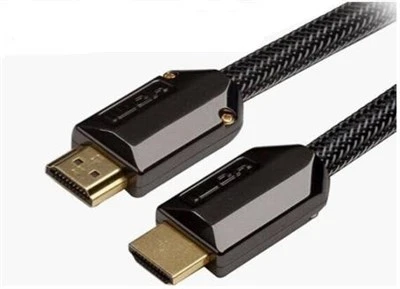
For users who require both video transmission and network functionality, our 4K HDMI Cable with Ethernet combines high-quality 4K video support with HDMI Ethernet Channel capabilities, making it suitable for modern AV systems and smart home installations.
As an experienced HDMI cable manufacturer, we also provide OEM and ODM services for global brands, wholesalers, distributors, and system integrators seeking customized HDMI solutions.
Conclusion
Identifying whether an HDMI cable supports 4K is easier than many users expect. Packaging labels, bandwidth ratings, certification information, and real-world testing can all help determine a cable's capabilities.
For most 4K applications, an HDMI cable supporting 18Gbps bandwidth and 4K 60Hz output will provide reliable performance. Choosing products from experienced manufacturers can further improve compatibility and long-term stability.
FAQ
1. Can all HDMI cables support 4K?
No. Some older HDMI cables may only support lower resolutions.
2. What HDMI cable is recommended for 4K TV?
An HDMI cable supporting 18Gbps bandwidth is recommended for 4K 60Hz content.
3. Is High Speed HDMI enough for 4K?
High Speed HDMI can support 4K 30Hz, while 4K 60Hz usually requires higher bandwidth.
4. Can HDMI 1.4 support 4K?
Yes, but it is generally limited to 4K at 30Hz.
5. Does cable length affect 4K performance?
Yes. Longer cables may require higher-quality construction or active solutions.
6. How do I test whether my HDMI cable supports 4K?
Connect it to a compatible 4K source and display device and verify available output settings.
7. Is certification required for 4K HDMI cables?
No, but certification provides additional assurance regarding performance and compatibility.
8. Does an expensive HDMI cable always perform better?
Not necessarily. Manufacturing quality and bandwidth capability are more important than price alone.