

Hey there, fellow gamers! As a supplier of gaming HDMI cables, I get a ton of questions from gamers like you. One of the most common ones is, "Can a gaming HDMI cable cause audio - video sync issues in games?" Let's dive right into this topic and find out.
First off, let's understand what audio - video sync issues are. When you're in the middle of an intense gaming session, you expect the sound to match up perfectly with what's happening on the screen. But sometimes, you might notice that the audio is either ahead of or behind the video. It's a real mood - killer, right? You're trying to react to whatever's going on in the game, but the out - of - sync AV is throwing you off.
Now, can a gaming HDMI cable be the culprit? Well, it's possible, but it's usually not the first thing to blame. There's a lot going on behind the scenes when it comes to getting that perfect AV match in games.
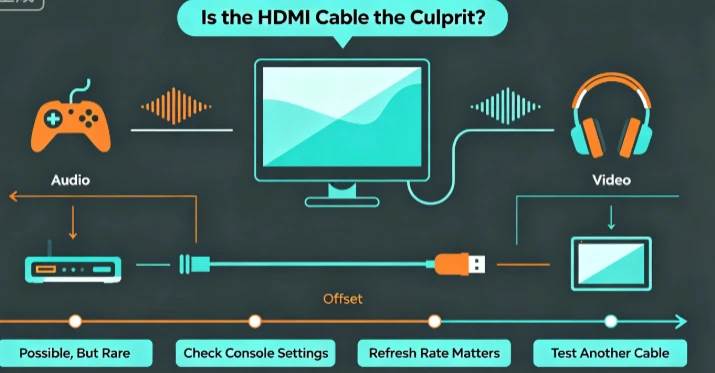
How HDMI Cables Work
HDMI, or High - Definition Multimedia Interface, cables are responsible for transmitting both audio and video signals between your gaming console (like a PS4 or an Xbox), your PC, and your display device (monitor or TV). They're pretty nifty because they can handle a whole bunch of data at once.
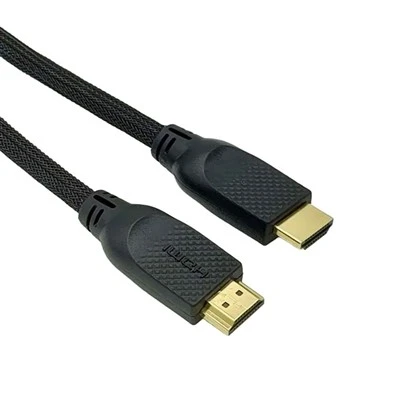
The quality of an HDMI cable can vary. The better ones are designed to carry higher - bandwidth signals without any loss or interference. For example, our Hdmi 2.0 Cable 240hz is built to support high - speed data transfer, which is great for fast - paced games.
But even the best cables can run into problems in certain situations. One key factor is the length of the cable. If you're using a really long cable, say over 15 feet, there's a higher chance of signal degradation. The longer the cable, the more likely it is that the audio and video signals can get out of sync. This is because the electrical signals have to travel a greater distance, and they can pick up some interference along the way.


Other Factors That Can Cause AV Sync Issues
It's important to note that HDMI cables aren't the only things that can lead to audio - video sync problems. Your gaming device itself could be the issue. Sometimes, the graphics processing unit (GPU) or the audio processing unit (APU) in your console or PC might be having trouble. If your GPU is overloaded, it could take longer to render the video, while the audio keeps playing at its normal pace.
The display device also plays a big role. Some older TVs or monitors might have a built - in delay for processing the video signal. This delay can cause the video to lag behind the audio. Additionally, if your display has a high input lag, it can mess up the AV sync.
The settings on your gaming device and display can also cause issues. For example, if you have different refresh rates set on your console and your monitor, it can lead to AV sync problems. You might have your console set to output at 60Hz, but your monitor is set to 120Hz. This mismatch can cause the audio and video to fall out of step.
How Our Cables Can Help
As a gaming HDMI cable supplier, I'm confident in the quality of our products. Our Hdmi 2.1 Cable Ps4 is specifically designed to work seamlessly with the PS4. It supports the latest HDMI standards, which means it can handle high - resolution video and uncompressed audio without any hitches.
The 8k Hdmi Cable for Ps4 is another great option if you're looking to take your gaming experience to the next level. It's built to transmit 8K video and high - quality audio, ensuring that you don't have to worry about AV sync issues when playing visually stunning games.
Our Best Hdmi Cable for 4k Gaming is perfect for gamers who want to enjoy 4K resolution. It has a high - bandwidth capacity, which means it can carry all the data needed for a smooth 4K gaming experience, with audio and video in perfect harmony. And the 4k Hdmi Cable for Ps4 is tailored to work well with the PS4's 4K capabilities.

Troubleshooting AV Sync Issues
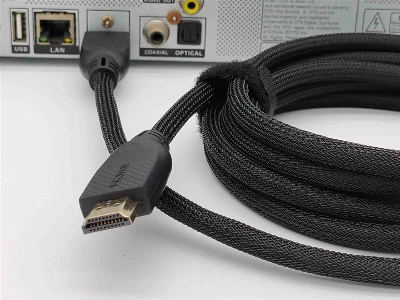
If you're experiencing audio - video sync issues in your games, here are some steps you can take. First, check the cable connections. Make sure the HDMI cable is properly plugged into both your gaming device and your display. Sometimes, a loose connection can cause problems.
Next, try changing the cable. If you have another HDMI cable on hand, swap it out and see if the issue persists. This can help you determine if the cable is the problem.
Also, check the settings on your gaming device and display. Make sure the refresh rates and audio settings are compatible. You might need to adjust these settings to get the perfect AV sync.
Conclusion
In conclusion, while a gaming HDMI cable can cause audio - video sync issues in games, it's usually not the root cause. There are many other factors at play, such as the gaming device, the display, and the settings. But when you choose high - quality cables from us, you're minimizing the risk of AV sync problems.
So, if you're looking for top - notch gaming HDMI cables, don't hesitate to reach out for a purchase and discussion. Whether you're a casual gamer or a hardcore pro, we've got the right cables to enhance your gaming experience.
References
- "High - Definition Multimedia Interface (HDMI) Specification," HDMI Licensing Administrator, Inc.
- "Gaming Hardware Basics," Various industry reports on gaming technology.