

Hey there! As a supplier of PC Monitor HDMI cables, I often get asked if these cables support 3D video. So, I thought I'd dive into this topic and clear up any confusion.
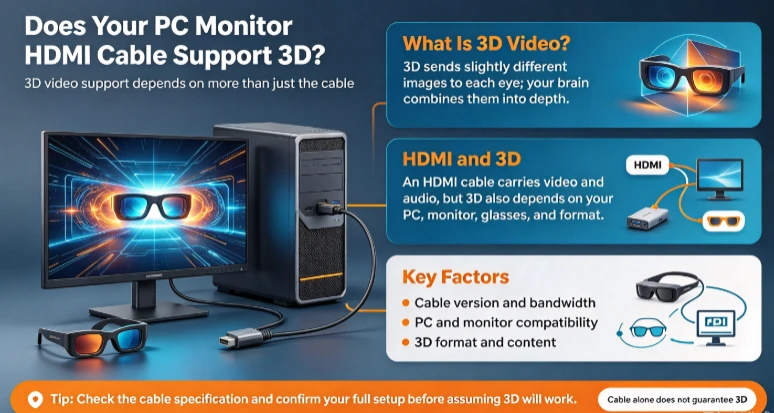
First off, let's understand what 3D video is. 3D video creates an illusion of depth, making the on - screen content seem more realistic and immersive. It works by presenting two slightly different images to each eye, which the brain then combines to perceive depth.
Now, when it comes to PC monitor HDMI cables and 3D support, it depends on a few factors.
HDMI Version
The HDMI version of the cable plays a crucial role. HDMI 1.4 was the first version to officially support 3D video. If you have an HDMI 1.4 cable or a newer version like HDMI 2.0 or 2.1, there's a good chance it can handle 3D video.
HDMI 1.4 cables support a variety of 3D formats, including frame sequential (where the left and right images are alternated at high speed), side - by - side (where the left and right images are placed next to each other), and top - and - bottom (where the left and right images are stacked on top of each other).
Newer HDMI versions, such as HDMI 2.0 and 2.1, not only support 3D but also offer higher bandwidths. This means they can handle more data, which is great for high - quality 3D video. For example, HDMI 2.1 can support 8K resolution at high frame rates, which is a huge advantage if you're looking for an immersive 3D experience.
Device Compatibility
It's not just about the cable; your PC and monitor also need to be 3D - compatible. Your PC's graphics card should support 3D output. Many modern graphics cards come with 3D support, but you'll need to check the specifications.
Similarly, your monitor must be able to display 3D content. Some monitors are specifically designed for 3D viewing, often requiring special glasses. These glasses can be either active (which use batteries and sync with the monitor) or passive (which are simpler and don't require power).
If your PC and monitor are 3D - capable and you're using an appropriate HDMI cable, you're well on your way to enjoying 3D video.

The Importance of Quality Cables
Using a high - quality HDMI cable is essential for a good 3D experience. A cheap or low - quality cable may not be able to transmit the data accurately, leading to issues like pixelation, flickering, or loss of 3D effect.
At our company, we offer a range of high - quality HDMI cables. For example, our Hdmi Hdr 4k Cable is designed to handle high - resolution content, including 3D video. It provides a stable connection and ensures that the 3D image is clear and sharp.
Another great option is our 4k Hdmi Cable with Ethernet. This cable not only supports 3D video but also allows you to connect your devices to the internet, which can be useful for streaming 3D content.
Our PC Monitor Hdmi Cable is specifically designed for PC monitors. It's built to provide a reliable connection and is compatible with various 3D formats.
How to Set Up 3D Video
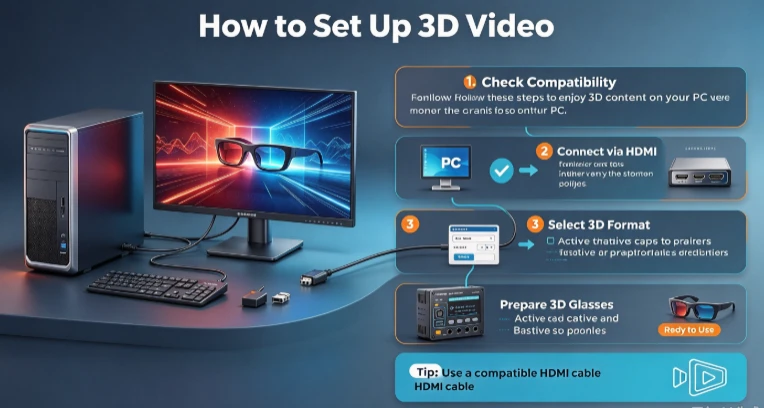
Setting up 3D video is relatively straightforward. First, make sure your PC and monitor are 3D - compatible. Then, connect your PC to the monitor using an appropriate HDMI cable.
Next, you'll need to configure your PC's graphics settings. In most cases, you can access these settings through the graphics card's control panel. Look for the 3D options and select the appropriate 3D format that your content supports.
If you're using active 3D glasses, turn them on and pair them with your monitor according to the manufacturer's instructions. Passive 3D glasses are ready to use right away.
Potential Issues and Solutions
Sometimes, you may encounter issues when trying to play 3D video. One common problem is that the 3D effect doesn't work or looks distorted. This could be due to a few reasons.
First, check the cable connection. Make sure the HDMI cable is properly plugged into both the PC and the monitor. A loose connection can cause signal loss and affect the 3D quality.
If the problem persists, check your PC's graphics settings. You may need to adjust the 3D format or resolution to match your content.
Another issue could be with the monitor itself. Some monitors may have a limited 3D viewing angle. If you're sitting too far to the side, the 3D effect may not be as good. Try adjusting your seating position to get the best 3D experience.
Conclusion
In conclusion, PC monitor HDMI cables can support 3D video, especially if they are HDMI 1.4 or newer versions. However, you also need to ensure that your PC and monitor are 3D - compatible.
Using a high - quality HDMI cable is crucial for a smooth and immersive 3D experience. Our company offers a range of HDMI cables that are designed to meet your 3D video needs. Whether you're a gamer looking for an immersive 3D gaming experience or a movie enthusiast wanting to watch 3D movies on your PC, our cables can help you achieve that.
If you're interested in purchasing our PC Monitor HDMI cables or have any questions about 3D video support, feel free to reach out for a procurement discussion. We're here to help you find the best cable for your needs.
References
- HDMI Licensing Administrator, Inc. HDMI Specification.
- Graphics card manufacturers' product manuals.
- Monitor manufacturers' product documentation.