


Introduction
DisplayPort has changed significantly over the years, with newer versions offering higher bandwidth, better support for high resolutions, and higher refresh rates. But does a newer DisplayPort version always mean you need a newer cable? Not necessarily. The right choice depends on your monitor, graphics card, resolution, refresh rate, and cable capability. This guide explains the key differences between DisplayPort 1.2, 1.4, 2.0, and 2.1 and helps you choose the right DisplayPort cable for your setup.

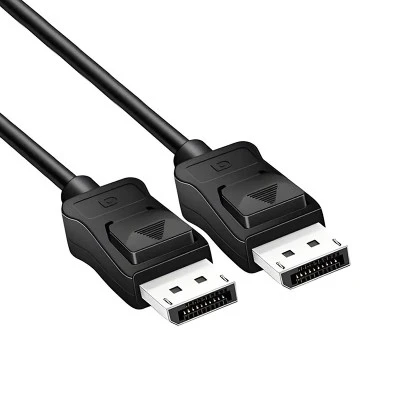
DisplayPort 1.2 vs 1.4 vs 2.0 vs 2.1: Quick Comparison
| Version | Maximum Link Rate | Main Features | Typical Use |
|---|---|---|---|
| DisplayPort 1.2 | 21.6 Gbps | MST, higher refresh rates | Older monitors, office PCs |
| DisplayPort 1.4 | 32.4 Gbps | DSC, HDR | 4K high-refresh displays |
| DisplayPort 2.0 | Up to 80 Gbps | UHBR, much higher bandwidth | High-end 4K/8K systems |
| DisplayPort 2.1 | Up to 80 Gbps | USB-C/USB4 alignment, improved features | New high-performance systems |
The biggest jump comes with DisplayPort 2.0, which can deliver up to 77.37 Gbps of effective payload bandwidth compared with 25.92 Gbps for DisplayPort 1.4a.
What Is DisplayPort 1.2?
DisplayPort 1.2 supports a maximum link rate of 21.6 Gbps and introduced important features such as Multi-Stream Transport (MST). MST allows one DisplayPort connection to carry multiple independent display streams, making daisy-chained monitor setups possible.
For everyday 1080p, 1440p, and many older monitor systems, DP 1.2 can still be sufficient.
What Is DisplayPort 1.4?
DisplayPort 1.4 increased the maximum link bandwidth to 32.4 Gbps and added support for technologies including Display Stream Compression (DSC), HDR metadata transport, and Forward Error Correction.
This makes DP 1.4 a practical choice for many 4K high-refresh applications. It is also widely used in gaming monitors, desktop PCs, and professional displays.
For users comparing DisplayPort 1.2 vs 1.4, the main reason to choose DP 1.4 is its higher bandwidth and support for newer display features.
What Is DisplayPort 2.0?
DisplayPort 2.0 was a major bandwidth upgrade. It supports up to 20 Gbps per lane and up to 77.37 Gbps of payload bandwidth across four lanes. VESA designed it for beyond-8K resolutions, higher refresh rates, HDR, multiple displays, and advanced VR applications.
For demanding gaming, professional graphics, and high-resolution multi-monitor systems, DP 2.0 provides much more bandwidth than DP 1.4.
What Is DisplayPort 2.1?
DisplayPort 2.1 superseded DisplayPort 2.0 and improved alignment with USB Type-C and USB4. It also introduced improvements for DisplayPort tunneling over USB4 and maintained backward compatibility with previous DisplayPort standards.
One important point: DisplayPort 2.1 does not simply mean a higher maximum bandwidth than DP 2.0. Both belong to the high-bandwidth DP 2.x generation. The newer specification adds requirements and interoperability improvements.
Today, the latest official DisplayPort specification is DP 2.1b.
Which DisplayPort Version Do You Need?
The answer depends on your display requirements.
| Use Case | Common Choice |
|---|---|
| 1080p office monitor | DP 1.2 |
| 1440p monitor | DP 1.2 or 1.4 |
| 4K 60Hz | DP 1.2 or 1.4 |
| 4K high refresh rate | DP 1.4 or DP 2.x |
| 8K and advanced multi-display setups | DP 2.x |
These are general guidelines rather than strict limits. Your actual result depends on resolution, refresh rate, color depth, DSC, and whether both the source and display support the required features.
For a more practical buying process, see our guide on how to choose the right DisplayPort cable for your monitor.
Does the DisplayPort Cable Version Matter?
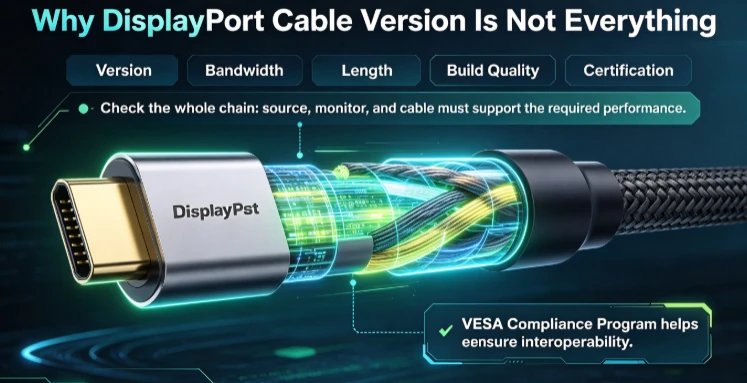
Yes, but the version printed on a cable should not be the only thing you check.
A DisplayPort connection is an end-to-end system. The source device, monitor, and cable all need to support the required performance. Cable bandwidth, length, construction, and certification can also affect whether a high-performance connection works reliably.
VESA manages the DisplayPort Compliance Program to help ensure interoperability between compliant products.
For more information, read our DisplayPort cable buying guide.
What Should B2B Buyers Check When Sourcing DisplayPort Cables?
For distributors, OEM buyers, and system integrators, technical specifications are only part of the decision.
Before placing a bulk order, check:
- Required DisplayPort specification
- Supported bandwidth
- Cable length
- Connector configuration
- Shielding and conductor construction
- Testing and certification requirements
- MOQ and packaging
- OEM/ODM customization
- Production consistency
For custom projects, OEM and ODM cable manufacturing can be useful when buyers need customized specifications, connectors, materials, branding, or packaging.
How to Choose the Right DisplayPort Version
You do not always need the newest DisplayPort standard.
First, check your monitor's resolution and refresh rate. Then check the DisplayPort capability of your graphics card or computer. Finally, choose a cable that can handle the required bandwidth.
For a standard office monitor, DP 1.2 may be enough. For 4K high-refresh gaming, DP 1.4 can be a practical option. For demanding 8K, high-refresh, or multi-display systems, DP 2.x provides much greater bandwidth.
Conclusion
The difference between DisplayPort 1.2, 1.4, 2.0, and 2.1 is mainly about bandwidth, display features, and system capabilities.
DP 1.2 remains useful for older and everyday systems, while DP 1.4 is widely suited to 4K displays. DP 2.0 introduced a major bandwidth increase, and DP 2.1 refined the 2.x platform with stronger alignment with USB-C and USB4.
The best DisplayPort cable is therefore not simply the one with the highest version number. It is the one that matches the complete requirements of your computer, monitor, and application.
FAQ
1. What is the difference between DisplayPort 1.2 and 1.4?
DisplayPort 1.4 offers higher bandwidth and adds features such as DSC and HDR support compared with DP 1.2.
2. Is DisplayPort 1.4 enough for 4K?
It can support many 4K high-refresh configurations, depending on the monitor, source device, color settings, and DSC support.
3. Is DisplayPort 2.0 better than 1.4?
DP 2.0 provides a major bandwidth increase and is designed for higher-resolution and higher-refresh applications.
4. Is DisplayPort 2.1 better than 2.0?
DP 2.1 supersedes DP 2.0 and improves specification alignment with USB-C and USB4 while retaining the high-bandwidth DP 2.x architecture.
5. Do I need DisplayPort 2.1 for 4K 144Hz?
Not necessarily. The required version depends on the monitor, GPU, color depth, DSC, and other system specifications.
6. Can DisplayPort 2.1 work with older DisplayPort devices?
Yes. DisplayPort 2.1 is backward compatible with earlier DisplayPort standards.
7. Does the DisplayPort version affect cable performance?
Yes. The cable must support the bandwidth required by the connection. Construction, length, and certification can also matter.
8. Which DisplayPort version is best for gaming?
It depends on the resolution and refresh rate. High-resolution, high-refresh gaming systems may benefit from DP 2.x, while many 4K gaming monitors work well with DP 1.4.
9. Is DisplayPort 2.0 obsolete?
No. VESA states that DP 2.0 products are not automatically obsolete. DP 2.1 supersedes the earlier specification while maintaining backward compatibility.